
Frequently asked questions
How do I register for the Member Portal?
Registering for the Member Portal is quick and simple. Once you’re set up, you can manage your accounts, view transactions, move money and apply for products all in one place.
Before you start
If any of your details have changed recently, like your mobile number or address, or if we don’t have your National Insurance number on record, please contact us before starting so we can update your information.
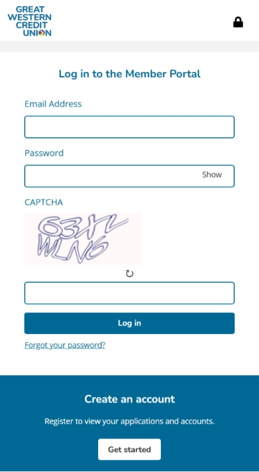
Step 1: Head to the login page and click ‘Get started’
-
On mobile, scroll down to find the ‘Get started’ button
-
On desktop, click ‘Get started’ on the right-hand side
Step 2: Enter your email address
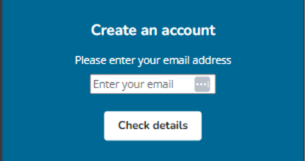
Enter the email address you used for your application and click ‘Check details’. This helps us find your account.
If you’re not yet a member, you’ll need to apply first before you can register.
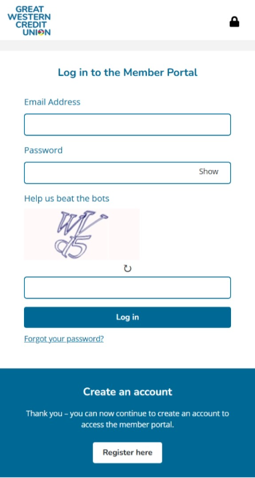
Once your email has been checked, click ‘Register here’ to continue.
Step 3: Verify your details
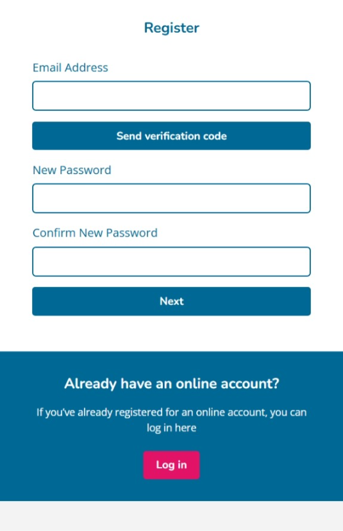
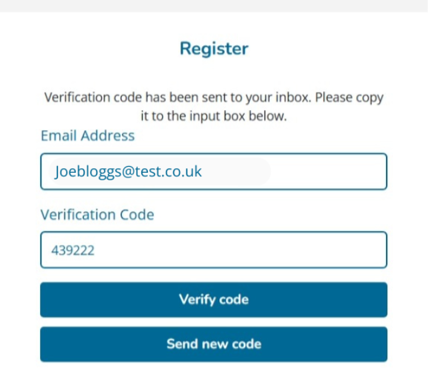
Enter your email address and press ‘send verification code’ We’ll send this straight to your email.
Check your inbox for the email we’ve sent you and enter the code
Click ‘Verify code’

Step 4: Set up your password
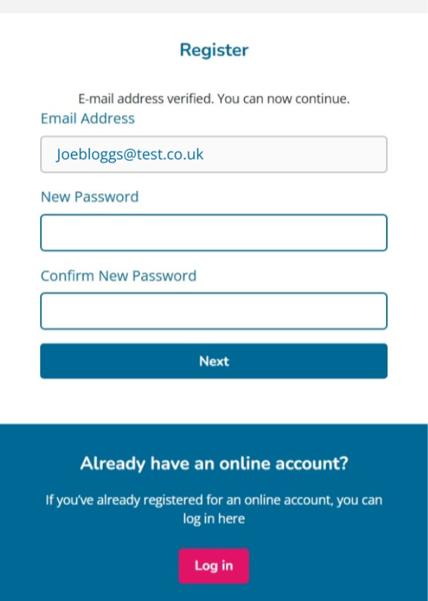
Once your email is verified, you’ll be able to set the password you’ll log in to the Member Portal with.
Set a password for your account, then click ‘Next’.

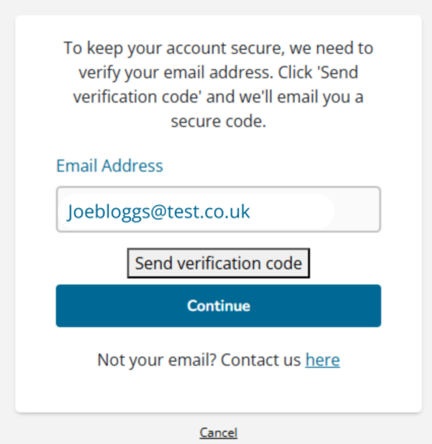
Step 5: Verify your email
To keep your account secure, we need to verify your email address a second time. Click 'Send verification code' and we'll email you a secure code.
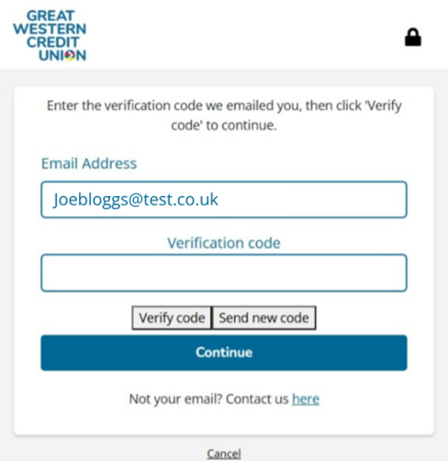
Enter the verification code we emailed you, then click 'Verify code' to continue.
Once you’ve completed these steps and your email address has been verified, your account will be ready to use and you can log in using your email address and password.
For extra security, we’ll send a code to your email each time you log in.
If we can’t verify your details:
You may be asked to request a verification code. If this happens, email info@gwcu.org.uk and we’ll send one to you.
 Need help?
If you get stuck at any point, just get in touch and we’ll help you get set up.